








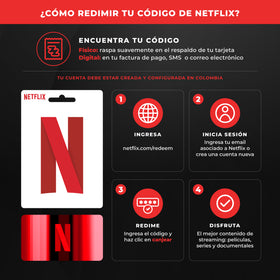
Nintendo Gift Card
What?how to trade your Nintendo gift card?
Nintendo gift cards allow you to add balance to your account to buy games, digital content or subscriptions within the Nintendo eShop.
Then we explain how to trade them correctly and what to do if a problem appears.
How to trade your Nintendo gift card
You can trade code from your Nintendo Switch, your computer or your phone.
1. From Nintendo Switch console
Enter Nintendo eShop.
Choose the user with whom you wish to exchange the code.
On the side menu, select Reg code.
Write the code as shown on your card or email.
Confirm to have the balance added to your account.
2. From a browser (PC or mobile)
Enter official exchange page
login with the same account you use at your Nintendo Switch.
Enter the code.
Confirm that the balance will be added.
Where do I see the credit balance?
You can check from your console by entering Nintendo eShop → "Account" → "Current balance"
Or from Nintendo's website on your profile.
▪ Possible problems with changing your code
1. Code already exchanged
That can occur when the page doesn't load properly and you try again several times. Sometimes the system processes the code without showing confirmation.
👉 solution:
First check your transaction history at: https://accounts.nintendo.com
That's where you can see if the code's been applied.
2. Invalid code
It can be a temporary system error or a problem with your account region.
👉 Recommended solution:
Check the status of Nintendo's services:
https://www.nintendo.com/consumer/network-status/Wait a few hours and try again. That's normal.
If the error persists, contact Nintendo's official support.
3. "The code doesn't belong to your region"
Nintendo's cards are regional.
To use them, your account region should coincide with that of the code.
Check your region here: https://accounts.nintendo.com/profile
If it doesn't match:
- Change your region to the right,
- Save the changes
- Try again.
3. "Can't trade balance right now"
It usually happens if:
There's time problems with servers.
👉 Resolution
Check the status of Nintendo's services:
https://www.nintendo.com/consumer/network-status/
Your account has incomplete or outdated payment information
👉 Resolution
Check your data at:https://accounts.nintendo.com
😁useful advice
Be sure to be using the same account where you want to apply the balance.
Once exchanged, the balance is immediately available to buy games and digital content.
Save your code till you confirm that the balance appears in your account.
) General solutions
First contact Nintendo's official support
Keep the case number, chat capture and any vouchers.
Check the purchase and transaction history
Can you check here: https://accounts.nintendo.com
After talking to Nintendo, send us information
Share the history of operations, purchases and catches of the support at our Support chat (bottom right) to help you check your code.
Still have problems?
Can you contact us? support equipment by WhatsApp and attached the capture of the error message and chat with Nintendo. Our team will help you figure it out as soon as we can.
